
Write session and progress notes
TherapyAlly separates Session Notes (encounter documentation) from Progress Notes (periodic clinical summaries). Both support structured clinical workflows and client sharing.
Before you start
- [ ] At least one client exists
- [ ] An appointment or session has been scheduled (or completed)
- [ ] Your provider profile includes credentials needed for signing
Steps
1. Open Session Notes
From the drawer, go to Session Notes (/sessions). Select the client and session you are documenting.
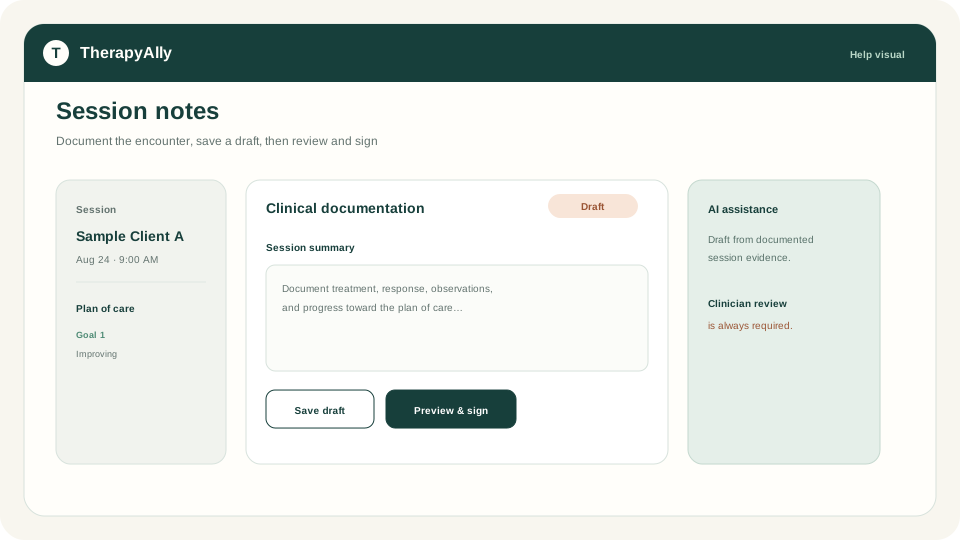
2. Document the session
Record attendance, treatment provided, and clinical observations for the encounter. Link the note to the correct session on the calendar when applicable.
Save drafts as you work. Use Save Draft until you are ready to sign.
3. Open Progress Notes
Go to Progress Notes (/progress-notes) for periodic summaries (SOAP, DAP, BIRP, or your practice template).
4. Draft with AI assistance (optional)
When session evidence is available, TherapyAlly can help draft progress note content from documented session data. Always review, edit, and sign. AI output is a draft for clinician review, not a final record.
5. Sign and share
Use Preview & Sign, then Sign & Share or Share with Client when your workflow requires client access. Signed notes follow your practice retention and sharing policies.
After documentation
- Update Plan of Care when treatment plans change
- Submit insurance claims if billing. See Set up insurance and billing.
Troubleshooting
| Issue | What to do | | --- | --- | | Session not listed | Confirm the booking occurred and attendance was recorded | | Cannot sign | Verify your provider profile and signature on file | | AI draft empty | Ensure session notes contain documented evidence first |